


First Stop Health
4.8143.00 Reviews
App Specs
- Version
- 4.117.0
- Updated On
- License
- Free
- Downloads
- 100,000+
- Developer
- First Stop Health
- Categories
- Medical
- Platform
- Android
Screenshots
 Analysis by AppCompare
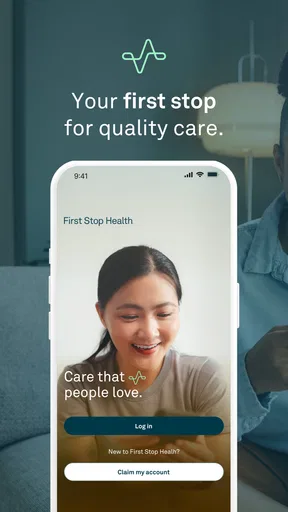
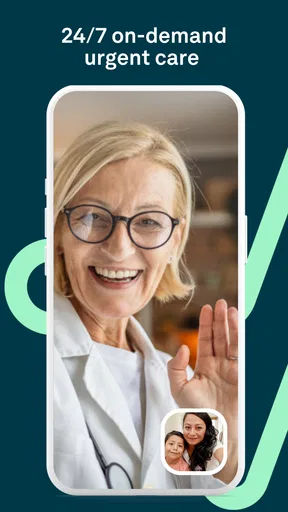
When a health question appears outside ordinary office hours, the hardest part is often deciding whether to wait, call a clinic, or seek urgent help. First Stop Health is designed for that middle ground: it lets users consult a physician around the clock about non-emergency health concerns, with the aim of getting guidance without turning every minor problem into a trip to an emergency department. I found its purpose easy to understand, and that clarity matters when you are tired, worried, or dealing with an uncomfortable symptom.
This is a medical app from First Stop Health, available free of charge and rated for Everyone. It has been around since August 2017, so it is not a brand-new experiment. Its current Android version is 4.117.0 and it can run on operating systems from version 7.1 onward. The app has passed the hundred-thousand-install mark and holds an average rating of 4.8 from more than eight hundred ratings, which suggests that many users find the service useful, although a rating alone cannot tell you whether it will suit your particular medical situation.
How First Stop Health feels when you need help quickly
I find the app most useful as a way to begin a calm, focused conversation when a non-emergency concern makes waiting feel uncertain. Before opening it, I’d take a moment to separate what feels uncomfortable from what signals immediate danger; that distinction helps me choose the right kind of help. From there, the next question is how to prepare for a consultation so the important details are easy to share.
Speed expectations before you start a consultation
The main attraction is not a collection of articles or a symptom checker that leaves you to interpret the result. The central idea is access to a physician for diagnosis and treatment guidance concerning non-emergency issues. That makes the app most valuable when you need a professional opinion but your situation does not justify emergency services.
I would approach it with a realistic expectation: the app can make the first step easier, but it does not turn a medical consultation into an instant answer. You still need to explain what is happening, answer questions clearly, and follow the clinician’s advice. A short, organized description can make the interaction feel much faster than opening the consultation while trying to remember when the symptom began.
Before using it, I recommend writing down the main complaint, when it started, whether it is getting better or worse, and anything you have already tried. If medication is involved, keep the package nearby so you can provide the exact name. This small preparation is one of the most useful ways to reduce friction, especially during a late-night consultation when concentration is not at its best.
The service is also easier to judge when you separate convenience from urgency. A remote physician consultation can be a sensible first move for concerns such as a mild illness, a new but non-severe symptom, or a question about whether professional care is needed. It is not a reason to delay emergency treatment. Severe breathing difficulty, serious injury, sudden neurological symptoms, intense chest pain, or any rapidly worsening condition belongs with emergency services rather than an app-based consultation.
Worth Reading Before You Choose

EA SPORTS FC Mobile 26 Is a Bigger Football Game, but It Takes Time

Flipboard Shows What News Apps Must Do Beyond the Feed

Switching to Android Auto Means Rethinking Your Driving Routine

Google Calendar Makes a Crowded Week Easier to Manage

Ludo King Makes the Most of the Minutes Between Plans

Baby Panda World Brings Quick Play to Modern Phones, but Its Game Library Feels Busy
A realistic everyday situation
Imagine waking up with a sore throat, congestion, and a fever that is making it difficult to decide whether to go to work. Your usual clinic is closed, and you do not want to spend hours traveling simply to find out what to do next. In that situation, First Stop Health can serve as a practical first contact. I would open the app, prepare a concise timeline of the symptoms, mention any relevant health conditions, and use the physician’s guidance to decide whether home care, a regular appointment, or more immediate attention makes sense.
The important benefit is not that the app eliminates every next step. Its value is that it can help you choose the next step with medical input instead of relying entirely on internet searches or guesswork. That distinction is especially helpful for parents, people caring for someone else, or anyone who tends to become anxious when different online sources offer conflicting explanations.
What happens when the issue is more complicated
Remote care is naturally more limited when a clinician needs to perform a physical examination, measure something directly, or inspect a problem in person. A physician may be able to guide you, but the consultation cannot replace every part of an in-person visit. If the concern depends on a physical test or needs immediate treatment, the app is better viewed as a possible starting point rather than the complete solution.
This is where First Stop Health differs from a general symptom-search tool. Searching the web may be quicker for a basic definition, but it often produces a wide range of possibilities without telling you which details matter. The app puts the conversation with a physician at the center. Compared with a traditional clinic, it can be more convenient outside normal hours, but it may be less suitable when hands-on assessment is essential.
Heavy-use moments and practical preparation
The most demanding moments are likely to be the ones when many people need help at once: evenings, weekends, seasonal illness periods, or times when a household is dealing with several concerns. I cannot promise a particular response time, and it would be misleading to treat the service as an instant queue-free replacement for every healthcare channel. What I can say is that preparation becomes more important when you are trying to move through a consultation efficiently.
Keep a short health summary ready on your phone or on paper. Include current medicines, known allergies, relevant long-term conditions, and the date a symptom began. This is not busywork. It prevents the conversation from becoming a series of pauses while you search through cabinets or messages. It also helps you avoid accidentally leaving out information that could change the physician’s recommendation.
Another useful habit is to decide what you actually want to know before beginning. “What should I do?” is understandable, but a more focused question such as “Do these symptoms need an appointment today?” or “Which changes would mean I should seek urgent care?” gives the consultation a clearer purpose. The app is more helpful when you use it to support a decision rather than expecting it to replace your own description of the situation.
For repeated household use, I would also keep track of what advice was given and when. That makes it easier to notice whether the condition is improving and to explain the history if you later contact a local clinician. It is a simple workflow, but it turns a one-off digital conversation into a more useful part of your overall care plan.
Reliability is more than an attractive rating
First Stop Health’s average rating of 4.8, based on over eight hundred ratings, is encouraging. The app also has more than one hundred thousand installs, indicating that it has reached a meaningful number of users. Still, I would not use those figures as a guarantee of a perfect experience. Medical apps are judged not only by their interface, but by how well the service fits the user’s situation, the clarity of the consultation, and what happens after the advice is given.
For me, reliability in this category means knowing what the app is for and using it within those boundaries. Its purpose is clear: physician access for non-emergency concerns. That clarity is reassuring because it discourages the common mistake of treating a general digital health tool as an emergency response system. A reliable habit is to assess the seriousness of the symptoms first, then use the app only when remote guidance is appropriate.
There is also a difference between technical stability and medical certainty. Even if an app opens smoothly, a consultation may still require follow-up care. Conversely, a useful medical interaction may lead to an in-person appointment rather than a final diagnosis inside the app. I consider that a sign of responsible use, not necessarily a failure. The goal should be an appropriate next action, not always a complete solution through one screen.
Because this is a medical service, I would avoid treating it as a substitute for a personal relationship with a primary-care clinician. A local doctor who knows your history can offer continuity that a general consultation may not provide. First Stop Health makes more sense as an additional access point, particularly when timing or convenience is the main obstacle.
Device constraints and the cost of convenience
The minimum Android requirement is version 7.1, which keeps the app available to people using older supported devices. That is useful for accessibility, but device age can still affect the overall experience. Older phones may have less responsive screens, weaker microphones, limited storage, or battery problems. Those issues are not specific to the medical service, yet they matter when you are trying to describe symptoms clearly during a consultation.
I would use the app on a stable connection and make sure the phone has enough battery before starting. If the device is nearly full or frequently closes apps in the background, a consultation may feel more stressful than it should. A quiet room is just as important as a modern phone: clear audio and the ability to concentrate can make a bigger difference than small interface details.
Free access is another practical advantage, especially for someone deciding whether to keep a medical app available “just in case.” However, free does not mean every healthcare need disappears without other costs or appointments. You may still need medication, laboratory work, a physical examination, or a visit to a local provider. I see the app’s price as lowering the barrier to seeking initial guidance, not as replacing the wider healthcare system.
The Everyone age rating makes the app broadly approachable, but parents and caregivers should still take responsibility for how a child’s symptoms are described and what advice is followed. A child may not be able to explain pain, timing, or changes accurately. In those cases, the adult’s observations are essential, and serious symptoms should be handled through appropriate urgent channels rather than relying on remote convenience.
Who will get the most value from it
I would recommend First Stop Health to people who want a physician’s perspective on a non-emergency issue without immediately arranging a traditional appointment. It is particularly appealing for users who work irregular hours, live far from a clinic, care for family members, or want help deciding how quickly they need in-person care.
It can also suit people who are comfortable communicating through a phone and who can describe symptoms in an orderly way. The more precise your information, the more useful the consultation is likely to be. Having the app ready before you need it may be worthwhile, because installing and learning a health tool while you are unwell is rarely ideal.
I would skip it as a primary option if you are dealing with an emergency, if an examination is obviously necessary, or if you already have a trusted clinician who can respond more appropriately to a complex ongoing condition. I would also avoid depending on it for reassurance alone. If symptoms are worsening or the physician recommends further care, the correct response is to follow that advice rather than reopen the app repeatedly hoping for a different answer.
How it compares with familiar alternatives
The usual alternatives each solve a different part of the problem. A web search is fast and convenient, but it can encourage self-diagnosis and rarely accounts for your complete context. A primary-care appointment offers continuity and may allow a physical examination, but it is not always available when you need it. An emergency department is equipped for serious situations, yet it is an excessive and expensive route for many minor concerns.
First Stop Health sits between those options. Its strongest advantage is the combination of physician access and convenience for non-emergency questions. Its trade-off is that remote guidance has limits, and the app cannot make every healthcare decision on your behalf. I prefer it to a symptom-search session when I need help interpreting a situation, but I would prefer an in-person professional when examination, testing, or continuity is central to the problem.
That middle position is worth understanding before downloading it. If you expect a full medical record, a guaranteed instant response, or a complete replacement for local care, the app may disappoint. If you want a practical way to begin a conversation with a physician about an issue that is concerning but not immediately dangerous, it is much easier to see where it fits.
My performance verdict
From a performance perspective, the most important strength of First Stop Health is functional efficiency: it focuses on connecting a user with medical guidance instead of burying the purpose under unrelated content. The current version, 4.117.0, shows that the app is maintained as an active product, while support for Android 7.1 or later keeps it usable on a broad range of devices.
I would still judge its speed in context. Opening an app is only one part of the experience; preparing information, communicating with a physician, and acting on the recommendation all affect how quickly you reach a useful outcome. A stable phone, good connection, and clear symptom notes can make the process feel considerably smoother. When those conditions are poor, the app cannot compensate for every technical or communication problem.
My overall view is positive, with an important boundary: First Stop Health is best as a first professional checkpoint for non-emergency health concerns, not as an emergency tool or a universal replacement for face-to-face care. Its free availability, broad age rating, established presence, and strong user rating make it easy to consider. I would keep it available for those uncertain moments when a physician’s guidance would be more useful than a search engine, while still keeping local healthcare and emergency services as the right choices whenever the situation demands them.
The practical takeaway is simple: use First Stop Health when convenience and timely medical guidance matter, prepare your information before starting, and treat any recommendation for further care as the next step rather than an optional extra. Used that way, it can be a sensible addition to everyday healthcare planning.
Pros
- Virtual visits make routine care easier to access from home.
- Useful option for employees covered by participating workplace plans.
- Can help direct users to appropriate care before an in-person visit.
- May reduce time spent waiting at a traditional clinic.
- Support for common everyday health concerns is convenient.
Cons
- Availability and pricing depend heavily on your employer or insurance plan.
- Not suitable for emergencies or conditions needing a physical examination.
- Some services may vary by state
- location
- or membership benefits.
- Video appointments require a reliable internet connection and compatible device.
- Prescriptions or referrals may not be available for every medical issue.
FAQs for First Stop Health
What is First Stop Health, and what services does it provide?
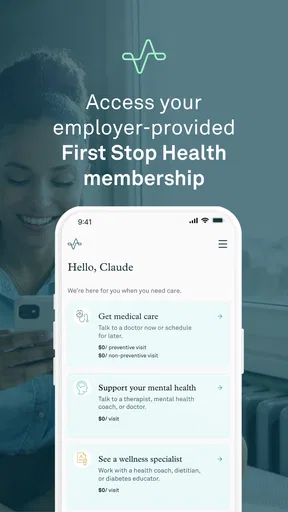
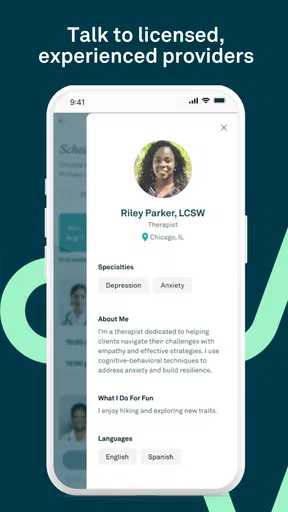
First Stop Health is a virtual healthcare service designed to help members connect with medical professionals without visiting a traditional clinic. Depending on the plan provided by an employer or health partner, users may receive help for common illnesses, general medical questions, behavioral health concerns, or care-navigation needs. Available services can vary by membership, location, and eligibility, so reviewing your plan details before using the app is important.
Do I need an employer-sponsored membership to use First Stop Health?
In most cases, First Stop Health is offered through an employer, benefits provider, or other participating organization rather than as a completely open healthcare app. You may need an eligible member ID, work email address, access code, or other verification details to register. Before downloading, check whether your employer or insurance-related benefits include First Stop Health and confirm which services are covered under your specific plan.
Can I use First Stop Health for emergencies or serious medical conditions?
No. First Stop Health should not replace emergency services or in-person care when a condition is severe or potentially life-threatening. If you experience symptoms such as chest pain, severe difficulty breathing, signs of a stroke, major bleeding, or another urgent emergency, contact local emergency services immediately. The app is generally intended for eligible virtual consultations and healthcare guidance, not emergency diagnosis or treatment.
How does a virtual consultation with First Stop Health work?
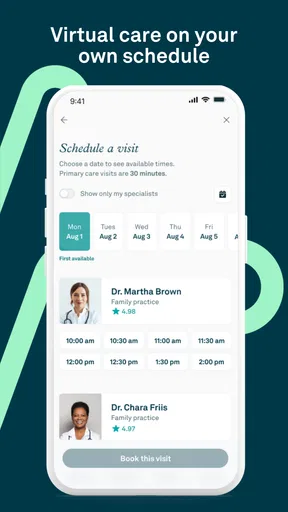
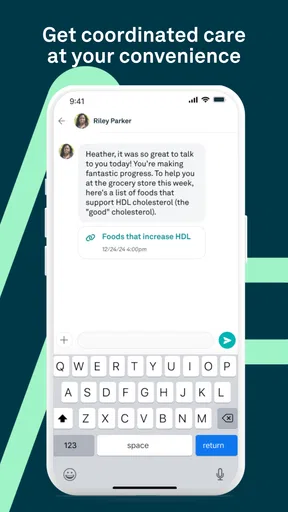
After signing in and confirming your eligibility, the app typically guides you through selecting an available service and describing your health concern. You may then communicate with a qualified healthcare professional through the options supported by your plan, such as messaging, phone, or video consultation. The provider may offer general guidance, recommend next steps, or direct you to in-person care when a physical examination is necessary.
Is First Stop Health free, and is my personal health information protected?
Whether First Stop Health is free depends on the benefits arrangement supplied by your employer or participating organization. Some members may have consultations included, while others could have plan-specific costs or limitations. The service is designed to handle health information securely, but users should review the app’s privacy policy, consent notices, and terms of service to understand how personal and medical data are collected, used, and shared.


